
Design tooling & AI workflow
Mockups That Animate, Localise, & Drop In Like an Image
Marketing pages, ads, and onboarding shipped static screenshots that aged on the next app update.
Each page needed three or four designer-made screens per market. The next app update aged them all. A new market meant a week of design work per page.
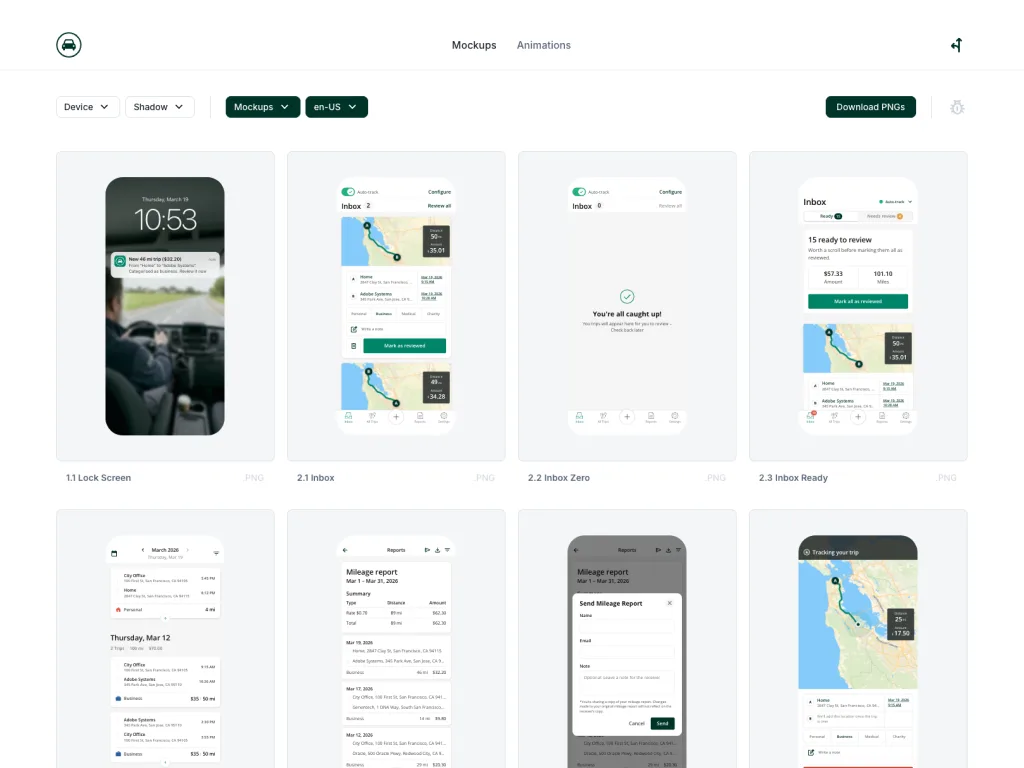
I built Driversnote's ScreenKit on the side, a couple of hours a day, to make the screens move, localise, and drop in like an image.
Core App Screens, Rebuilt to Move
Static screenshots can't show how the product moves.
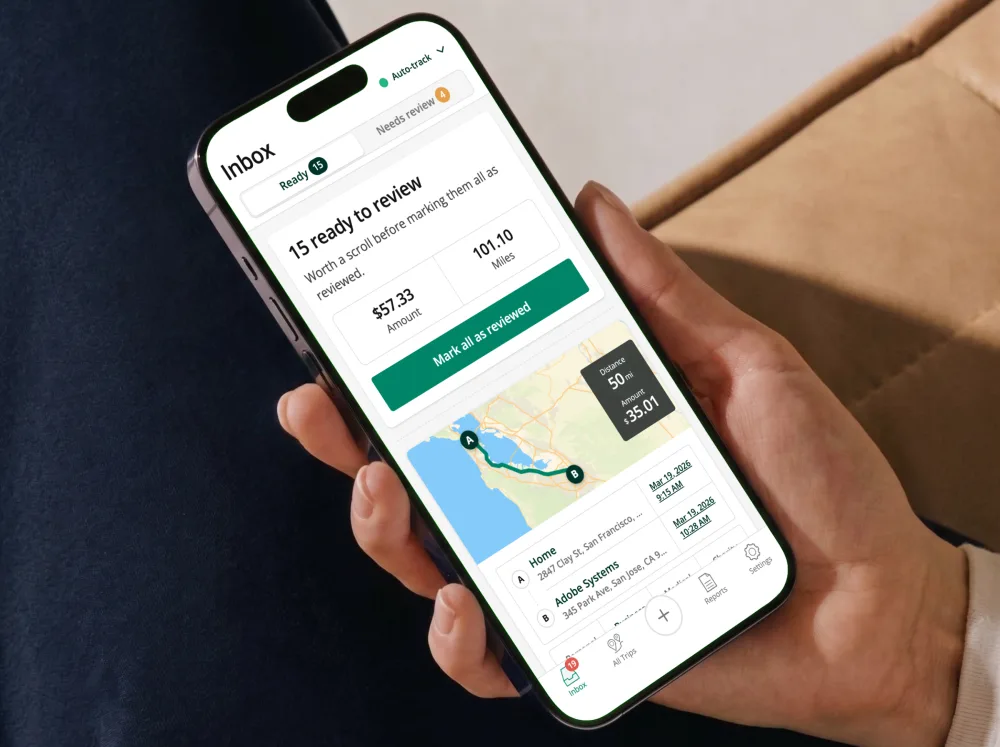
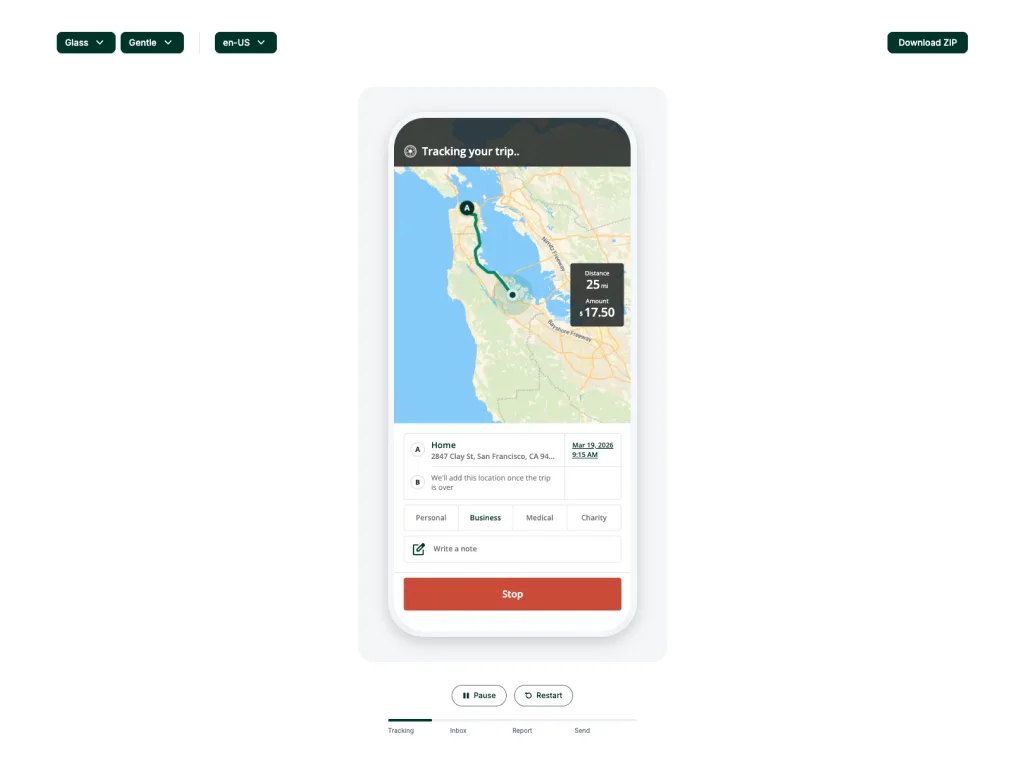
I rebuilt the app's core screens as coded mockups. The route draws across the map, the pin fades in, the inbox card mounts from the bottom, the way the app does. On websites they animate in place; for ads, the same screen renders to an image, styled to match.
An app update now means a code change, not a re-capture.
Every Detail Local, Not Just the Words
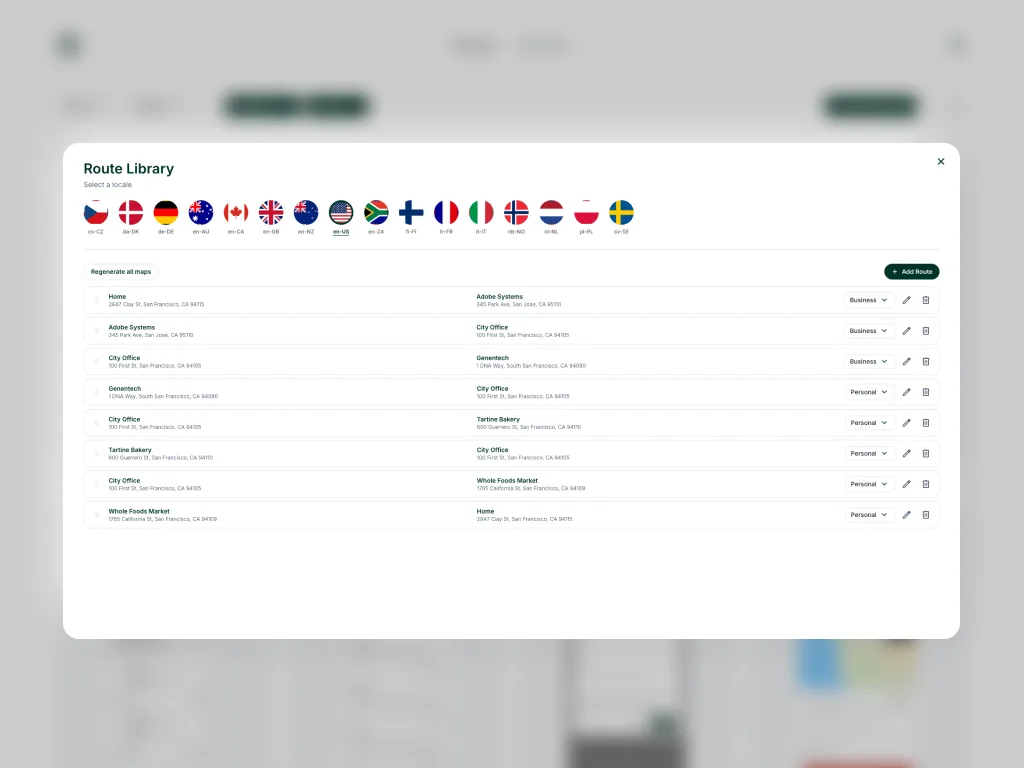
Translated to French, the screens still showed a drive from San Francisco to San Jose.
I tied every detail on each screen to the market: the addresses, the currency, the distances. A Berlin to Potsdam drive shows euros, German kilometres, and what a German driver claims back. More markets, more trips, more cities add to the list without rebuilding the screens.
Each market's page shows a drive its tax office would recognise.
Marketing, Ads, and Onboarding: Every Market, Thirty Minutes Each
Adding a market stopped being a project.
Any screen already built in ScreenKit reaches a new market in about thirty minutes through AI translation. The same work used to take a week. Designers drop it where a screenshot would go, style it, and pick the market. I grew it from a personal export tool, to animations for the next project, to something used across the company.
Marketing pages, ads, and onboarding now ship from the same code.
Impact

Per-page design time
A week of design per page on each new market dropped to about thirty minutes.

Update speed
An app update now means a code change, not a re-capture across every market page.

Surfaces using ScreenKit
From a personal export tool to a system used across marketing, ads, and onboarding.
Time saved per market launch
A representative figure across the markets ScreenKit has shipped to so far.
Mockups shipped from ScreenKit
Across marketing pages, in-product onboarding, paid ads, and partner placements.